Wordpress-No Border Around Pictures

Posted by Planeta Srbija | 22.9.08 | | 7 comments »

Ifyou don't want to have border around pictures in your post, even if your theme use it, just add folloving string to your specific picture (use HTML view):

<img src="http://www.blogger.com/picture.jpg" style="border: medium none ; padding: 0pt;" alt="Picture" />


There is also another way, use class within picture's HTML:

<img src="picture.jpg" class="no-border" alt="Picture" />


But also add following to your CSS file:

.no-border { border: none; padding: 0; }


To achieve an effect of double borders around your pictures, add this to your CSS:

img, a img {
padding: 3px;
border: 1px solid #01203c;
background: #eee;
}
Read More......

Yahoo Weather Widget Connection Problem

Posted by Planeta Srbija | 18.9.08 | | 5 comments »


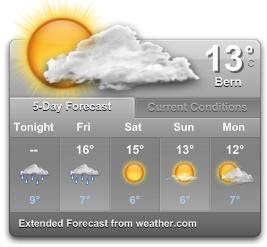
If your Yahoo Wigdet gets stocked showing old weather conditions you won't find a lot of help on Google or Yahoo-help pages. So it took me long time to solve the problem including reinstall of Yahoo-widgets.

Solution:
First make sure that your IE is not in "Work Offline" mode (File/Work Offline) - NO matter if you use any other NORMAL web browsers like Firefox, Opera etc. You can see youself that this thing matters, because if you try to change to any other location, you will get "No connection" message and no weather conditions will show up. So, go online with the IE.

Clean all temp and junk files on your PC

Go to Yahoo Weather Widget, open location menu (under current temperature) and Clear Current Location. You will get default location Sunnyvale, CA with current weather informatin.

Now you can select Change Location and find your favorite one (probably from the beginning of this story which got stuck) - and everything works fine.

Read More......

Take a look on my other postings: